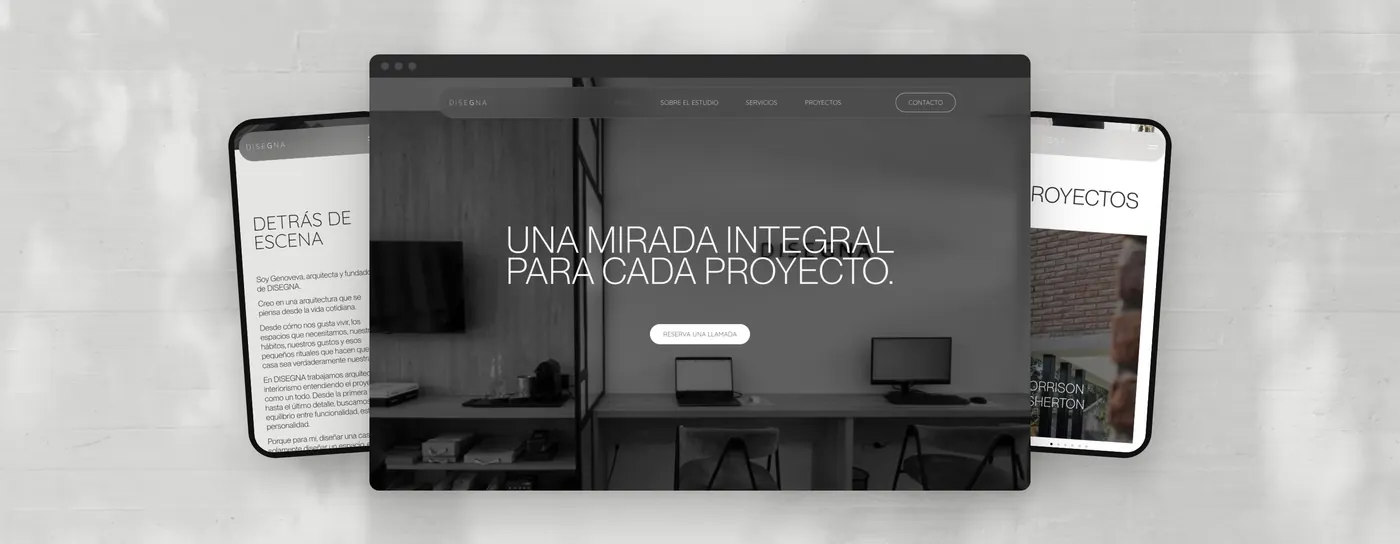
Besides showing your projects, an architecture studio website can filter enquiries with a short form, book the first meeting, explain how you work, let people know when you'll reply and take payment for a consultation or a deposit. You don't need to add everything at once, it's enough to start with the task that eats up most of your time today.
When a studio asks me for a website, the first thing they usually show me are references of beautiful websites, and that's perfectly fine, because of course it has to look good. What rarely comes up in that first conversation is what should happen when someone lands on it, and that's where most studio websites fall short: they show the projects and nothing else.
Why isn't a beautiful website enough?
Because your website is the first thing a client looks at before getting in touch, and if all they find are photos, they have to ask about everything else. What I see all the time is this: a form asking for name, email and message, followed by ten rounds of WhatsApp messages to find out what the person needs, where the project is and when they want it done.
A website can do much more while you're on site or in a meeting.
I was reminded of this by Dezeen's redesign, which in October launched a new website after ten years and didn't change its typeface or its spirit, only how you search, filter and browse it. The same goes for your studio's website, because very often you don't need to start from scratch, you just need it to do its job.
What can a studio website do on its own?
These are the five tasks that save the most time for the studios I work with, and none of them needs a huge or expensive website.
1. Filter enquiries before the first call
Instead of the classic free-text message box, a form with three or four key questions tells you right away whether the enquiry is a good fit: type of project, location, timeline and approximate budget. If the answers are options to choose from rather than free text, people fill it in faster and you read it faster (and you skip the call just to ask whether it's a kitchen or a whole house).
2. Book the first meeting
A link to book the first conversation, connected to your calendar, saves you the back and forth of "does Thursday work for you?". Tools like Calendly or Google Calendar's appointment schedules let you choose which days and times you offer, how long each meeting lasts and how much buffer you leave between them, so nobody books you while you're on site.
3. Explain how you work
A section with the stages of your process, from the initial survey to construction management, and what each one includes, answers the usual questions before anyone asks them. You don't need fixed prices or every detail, because that's for the meeting, but it should be clear what you do, in what order and roughly how long it takes.
4. Reply as soon as an enquiry arrives
An automatic reply that says thank you, when you'll get back to them and what happens next puts the person on the other side at ease, otherwise they're left wondering whether their message arrived. If you also add a link to your projects or to the section on how you work, they can use the wait to get to know you better.
5. Take payment for a consultation or a deposit
If you sell something specific, like a one-hour consultation, a site visit or a colour consultation, your website can charge for it directly with a payment link or button from Stripe, PayPal or Mercado Pago. That way people book and pay at the same time, and you don't have to send bank details or chase transfers.
Where should you start?
You don't need to add everything at once, pick the task that eats up most of your time today and start there: if enquiries that aren't a good fit flood your WhatsApp, start with the form, and if the problem is coordinating schedules, with the booking link. The good news is that most of these can be added to the website you already have, without redesigning it from scratch.
What if you don't have a website yet?
Then it's the perfect moment to plan it this way from the start, with these tasks built into the design rather than added later. That said, brand first and website second, because if you launch the website before you have your identity, you'll have to redesign it later and end up paying twice.
If you want to see how I approach it, I explain the process on the web design page, and if your studio needs both, the New Build package brings identity and website together in eight weeks.
So, which of these five tasks takes up most of your time right now?
This article first appeared, in a shorter version and in Spanish, in Planta Libre N°04.
Does your studio need a hand?
Choose based on where you are right now:Thanks for reading this far. If your website only shows your work today and you'd like it to start working for you, write to me and let's talk, I read everything.
Orne